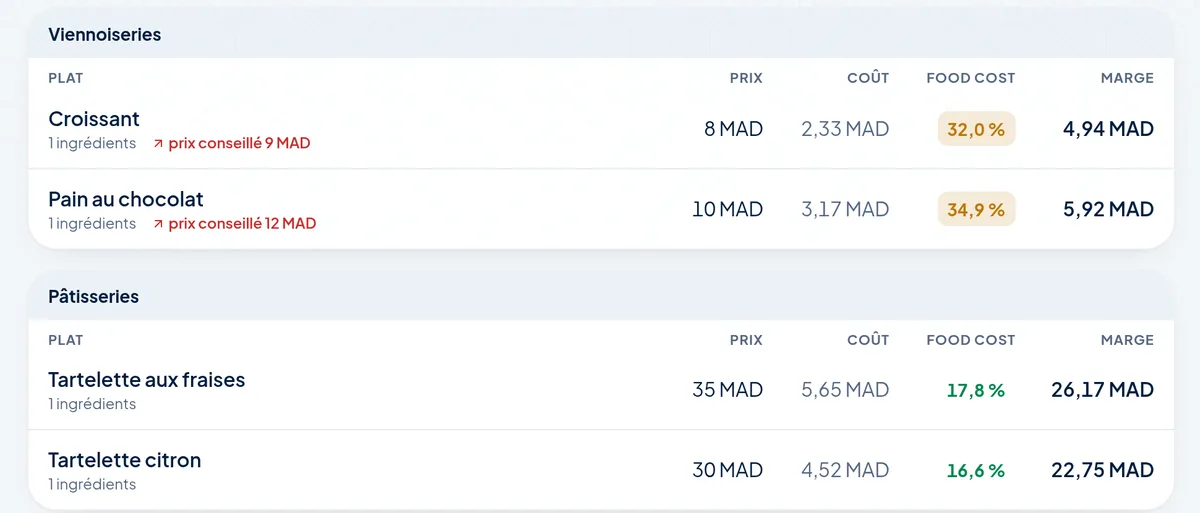
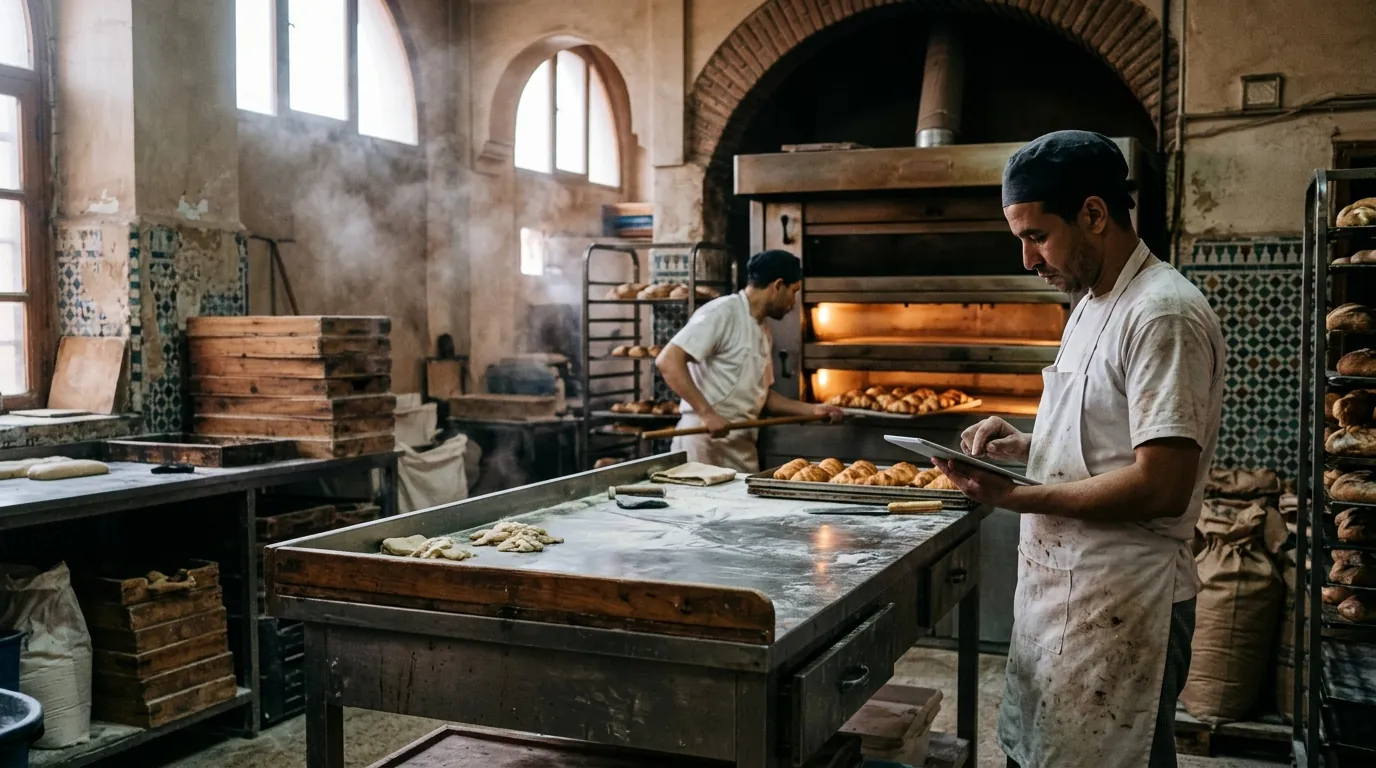
Butter goes up, so does the dough, and your prices stay the same. Amplify calculates the cost of every piece from your recipes and house preparations, and tells you how much to make tomorrow.
Indicative prices. With your purchase prices, Amplify does this calculation for every product.
30 g
Scale recipe: 30 g+10 g
A recipeinside the recipe.
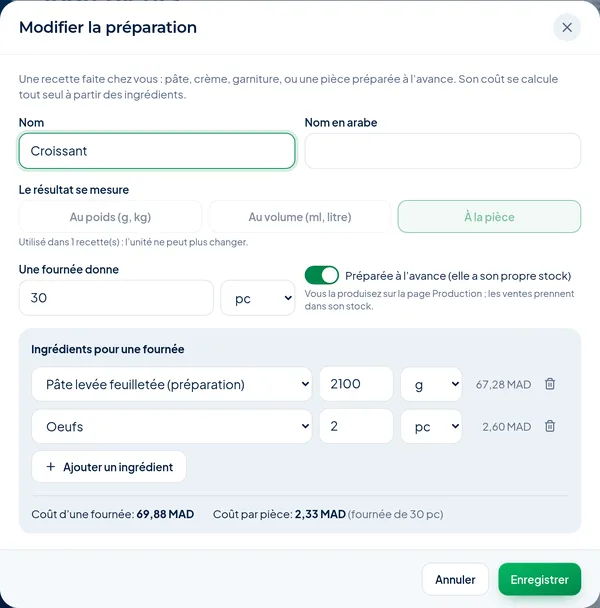
Puff pastry, pastry cream or sweet dough are preparations: you describe them once, then use them in your croissants, mille-feuilles and tarts. When the price of an ingredient changes, everything follows.
Cost per batch and per piece
Suggested price for your margin target
Up to six levels: dough, pastry, platter
Three lists: ingredients, preparations, finished products
The price of butter goes up: everything that uses it follows.
IngredientButter95 DH/kg
House preparationCroissant dough67,28 DH
ProductCroissant2,33 DH
PlatterPlatters and gift boxesupdated
Example calculated with a demo recipe (10% VAT). With your recipes, Amplify does this for every product, at every new purchase price.
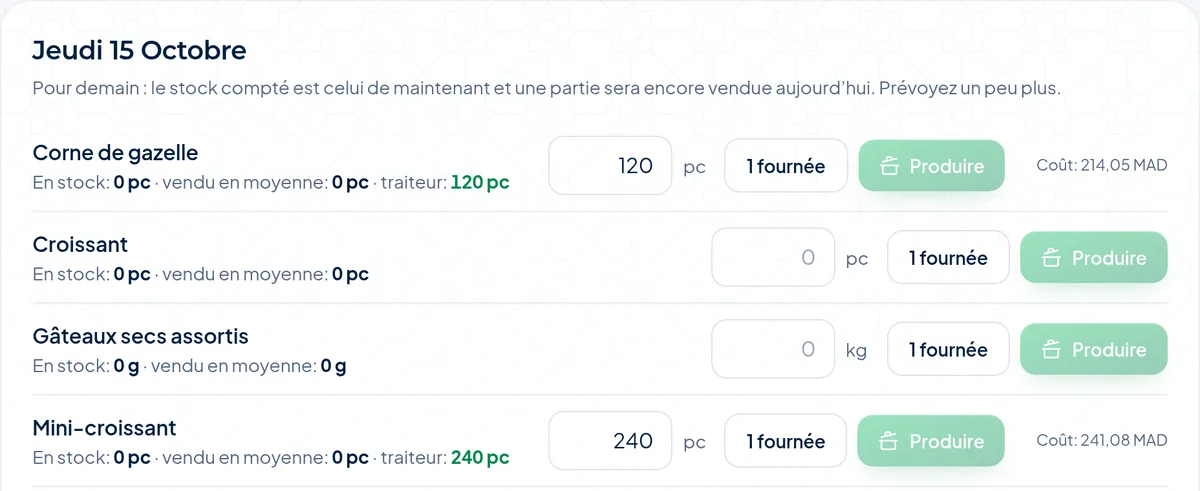
How many to make tomorrow?
Every morning, the list of what to make: sales on the same weekday, plus catering orders, minus what is already on display.
One click on “Produce”: flour and butter leave the stock, the croissants come in
Pieces made ahead and preparations made to order
A “1 batch” button fills in the quantity of a whole batch
The forecast appears after a week of till sales, or straight away with your imported sales history
Croissants · 1 batchExample
Butter in stock
8,00 kg
Croissants in the display
0
06:00
The plan is ready before the oven.
New
The evening plan.Ticked off in the morning.
In the evening, you write down what has to be made tomorrow, in order. In the morning, the team ticks it off on the tablet. The ingredients leave the stock only when it is really done, with the real quantity.
Each preparation has its days: icing on weekdays, pancakes at the weekend
“Not done” keeps the reason, the stock does not move
What is missing becomes a purchase order, one per supplier
In the evening, what is left: kept for tomorrow or thrown away, in dirhams
Try it: pick the day, tap “Done” or “Not done”.
Plan forTuesday
0 / 3 done
Cinnamon roll doughplanned 4 kg
Cream cheese icingplanned 2 kg
Croissantsplanned 60
Pancake mixplanned 6 kg
Waffle batterplanned 4 kg
Croissantsplanned 120
Flour in stock25,0 kg
Nothing leaves the stock before “Done”.
Example with demo figures.
Not done: no timeThe ingredients leave the stock now.Plan finished. Nothing else moved.
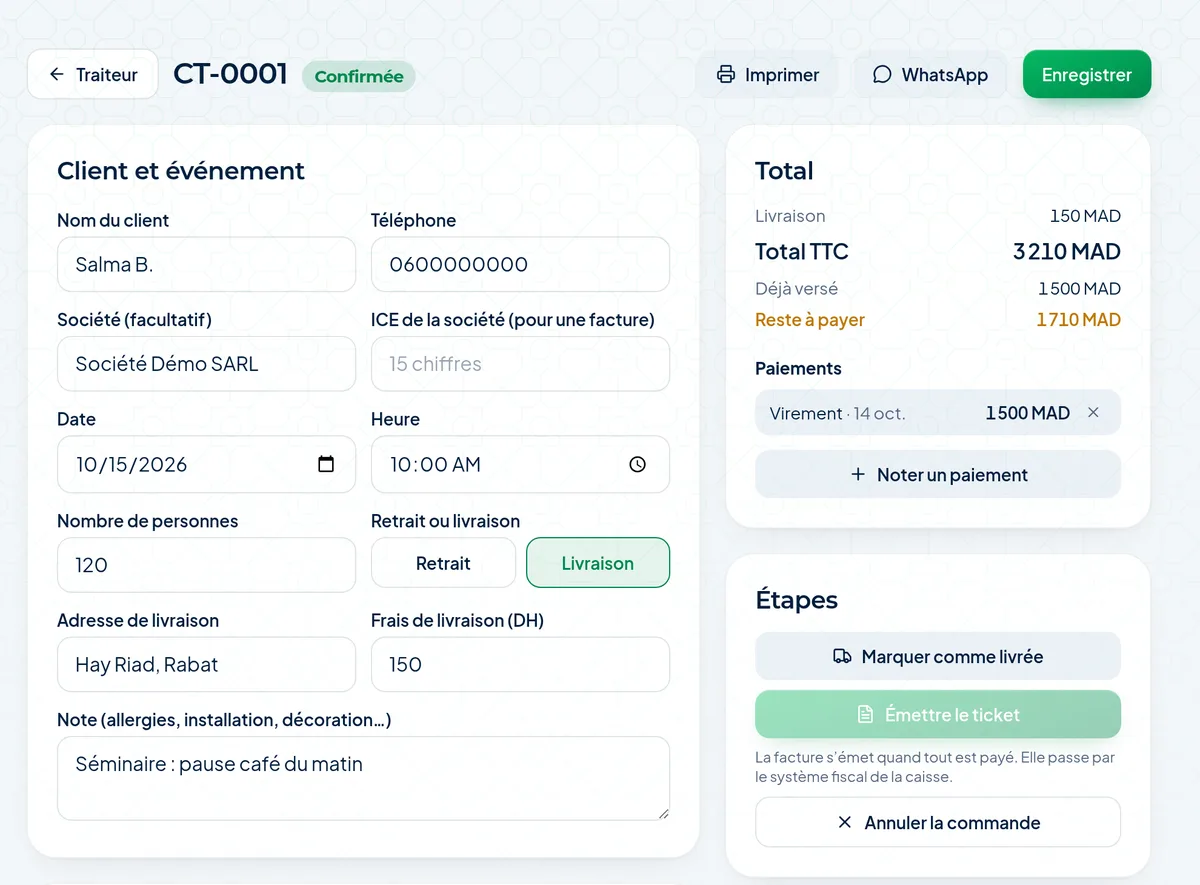
Catering, from quote to invoice.
Wedding, seminar, engagement: the quote goes out on WhatsApp or is printed. The customer accepts, the order goes into the production plan of its day.
Catering prices different from the shop
Deposits and balance recorded as they come
Invoice in the company’s name, with its ICE
1Quoteon WhatsApp or printed
2Depositlogged as it comes
3Productionin the plan for its day
4Invoicewith the company’s ICE
New
Allergens worked out,never copied by hand.
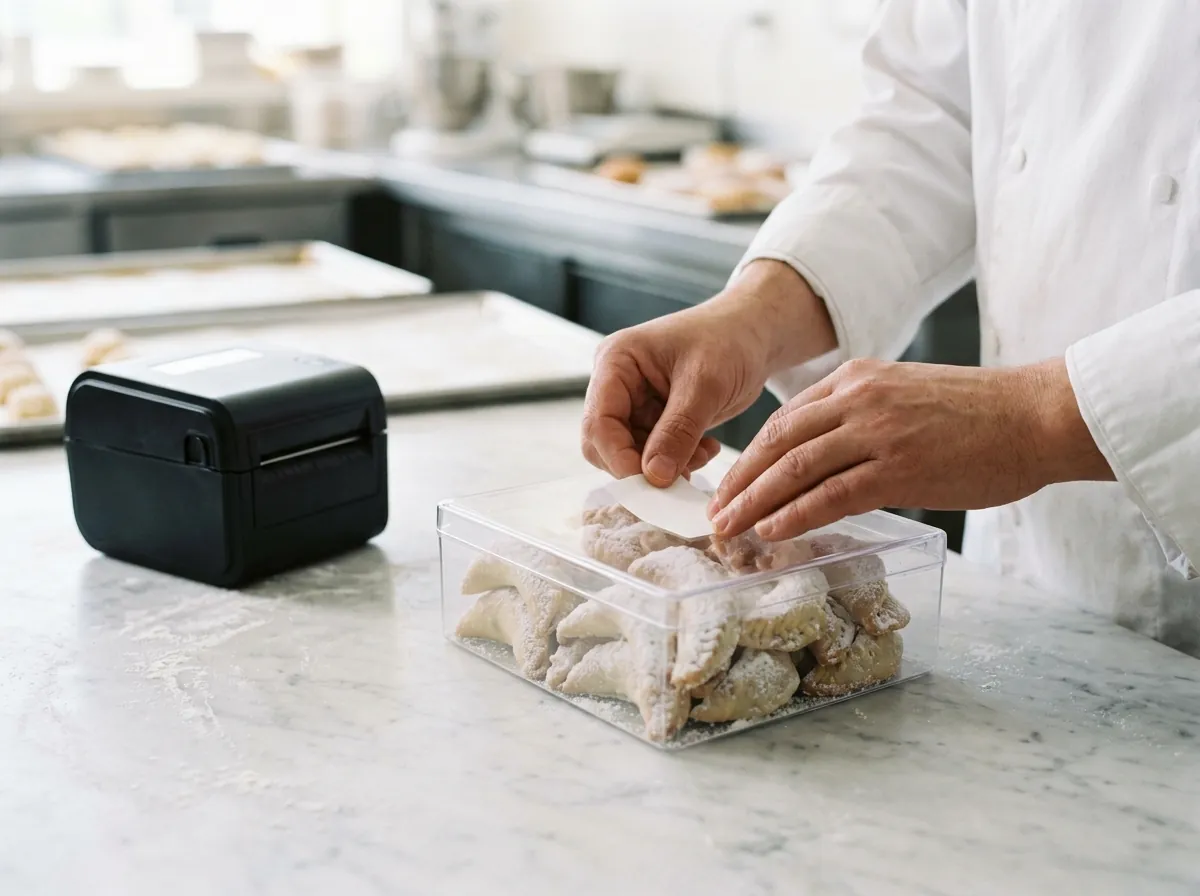
You enter them once on the ingredient. Amplify finds them in every preparation and every product, even a recipe inside a recipe. The guest filters the QR menu, the shop displays the sheet, every batch comes out with its label.
QR menu
Example
An allergy?
CroissantGlutenMilk8 DH
Gazelle hornGlutenTree nutsEggs6 DH
Pistachio macaronTree nutsEggs12 DH
Fruit saladNo major allergen25 DH
Tart of the dayAllergens: ask the staff30 DH
Pick an allergy: the products that contain it disappear.
{n} product(s) hidden, including those not checked yet.
Batch label
58 × 40 mm · or 50 × 30, 80 × 50, 100 × 60
Demo Pâtisserie
Gazelle horn
Made on27/10/2026
Use by03/11/2026
LotP261027-03
Allergens: gluten, tree nuts, eggs
مسببات الحساسية: الغلوتين، المكسرات، البيض
0 labels
An ingredient not checked yet? The label says “ask the staff”, never “allergen-free”.
By the kilo or by the piece.
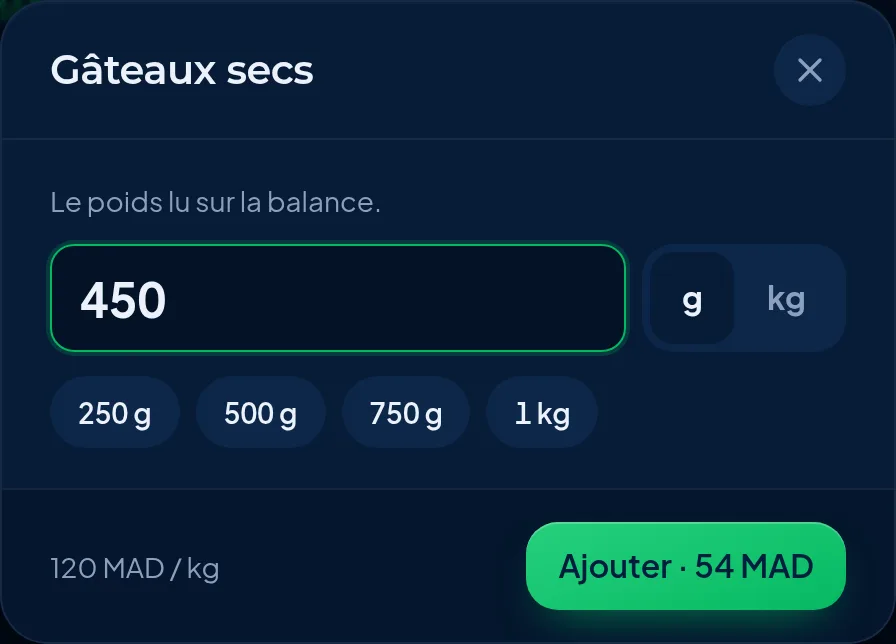
Biscuits, chocolates, msemen: the till asks for the weight, calculates the price and prints it on the receipt. Stock goes down by the weight sold.
Price per kilo in the menu
250 g, 500 g, 1 kg in one tap
The receipt shows “0.450 kg”
Option: the scanner reads the scale label and barcodes
Try the weighing
2 123456 00620 9
Dry cakes
0,450 kg× 120,00 DH/kg
TOTAL54,00 DH
Example · Indicative prices. With your purchase prices, Amplify does this calculation for every product.
Cut the internet.Service goes on.
Orders, kitchen tickets and payments stay on the POS and sync on their own when the connection returns. No duplicates, nothing lost.
Orders taken
0
Queued
0
Your dataEverything is synced
Amplify POSConnected
Offline: everything stays on the POS.
Delivery
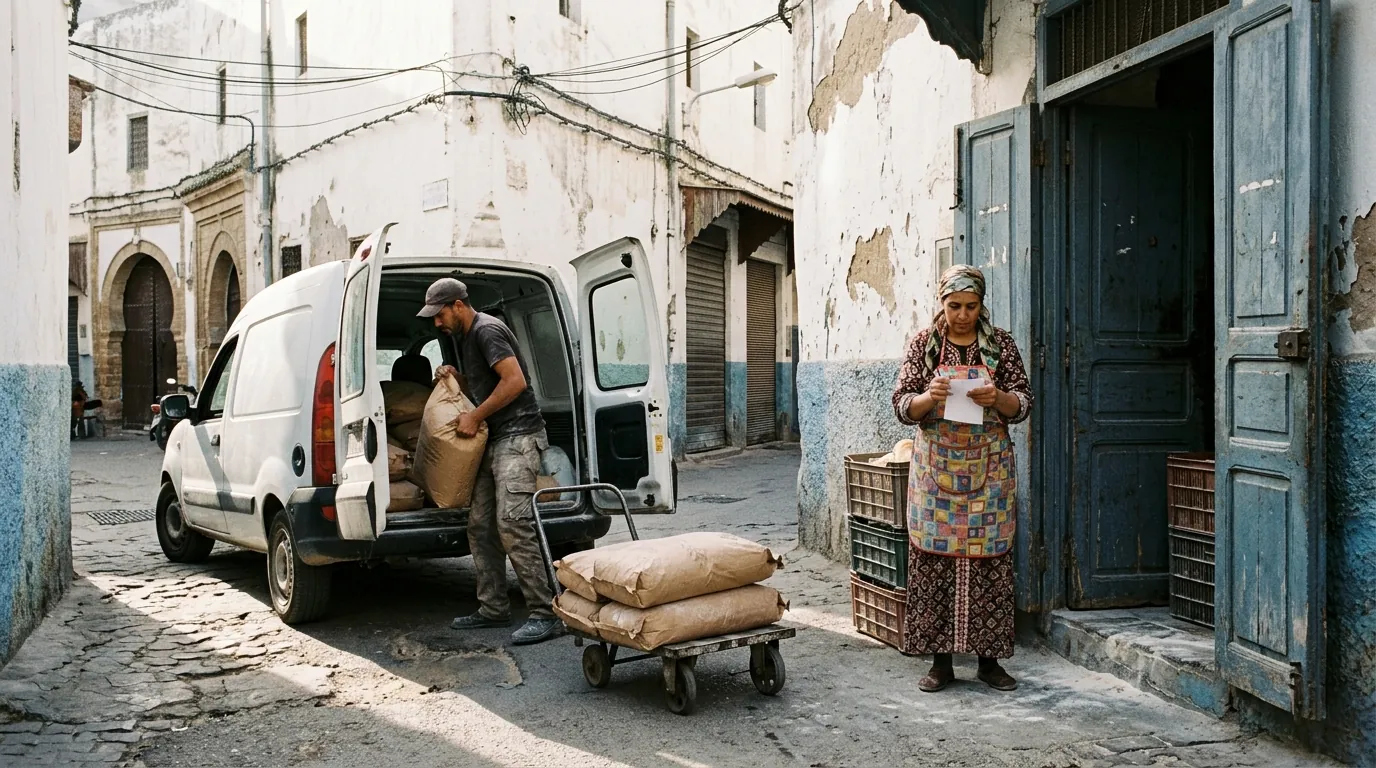
The flour arrives. The stock follows.
New
Your suppliers,in order at last.
One sheet per supplier with ICE and RIB, the agreed prices per product, purchase orders that go out on WhatsApp, and every month what you bought, paid and still owe.
The supplier sheet
Moulin Atlas
ICE
001234567000089
RIB
011 780 …1234 21
Payment
30 days, bank transfer
Delivers
Mon., Thu.
★T55 flour210 DH/ 25 kg bag
★Fine semolina185 DH/ 25 kg bag
★Sugar7 DH/ kg
The star: the usual supplier. Purchase orders go to him, at the agreed price.
The purchase order
BC-0042
Draft
Made from tomorrow’s plan
T55 flour (FAR-25)2 × 210
Fine semolina1 × 185
Total605 DH
Print / PDFWhatsApp
On delivery, you tick what arrived: the stock goes up, the prices follow.
Supplier statements
Opening balance
2 250 DH
Purchases
+ 11 400 DH
Paid and credit notes
− 9 000 DH
Still owed at the end of the period4 650 DH
Per product, per delivery, ordered against received. To print or in Excel for the accountant.
Example with demo figures.
Your recipes are in Excel?
Send us the file. Recipes, preparations and ingredients come in at once, with a preview before saving. You then add your purchase prices.
My recipes are in Excel. Do I have to type everything again?✓✓
No. Recipes are imported in one go from Excel or CSV: one line per ingredient, with the product, the quantity and the unit. Preparations such as puff pastry or pastry cream are recognised. Send us your file, we format it with you.
I sell by the piece and by the kilo. Does that work?✓✓
Yes. A product sold by weight has a price per kilo: the till asks for the weight shown on the scale, calculates the price and prints it on the receipt. Stock goes down by the weight sold.
Do catering orders go into the accounts?✓✓
Yes. Once the order is paid, the invoice is issued by the till system: numbered, with your customer’s ICE if it is a company, and counted in the day’s Z report.
I have a production kitchen and several shops.✓✓
Today, the production kitchen and the shop share one stock. Transferring goods between a depot and several shops is not available yet: let’s talk about how you work before starting.
Is the till connected to the scale?✓✓
Yes, if your scale prints barcode labels: the till scans the label and reads the weight (or the price). Without a scanner, the sales assistant types the weight shown. The scanner option is switched on in the settings.
How are allergens handled?✓✓
You enter them once per ingredient. They are worked out for every preparation and every product, even a recipe inside a recipe, and follow every change. They appear on the QR menu, on the sheet to display in the shop and on the production labels. A product not yet checked is never shown as “allergen-free”.
Can I print labels for my products?✓✓
Yes. Every batch has its lot number, its production date and its use-by date. The label comes out of your printer, in 4 sizes, with the allergens in French and Arabic.
What if the internet drops mid-service?✓✓
You keep taking orders, printing tickets and taking payments. Everything is sent automatically when the connection returns.
When is the production forecast reliable?✓✓
After a week of till sales. With an imported sales history it is available straight away. Until then, you enter the quantity yourself.
Other questions
Your message opens in WhatsApp. Nothing is sent until you tap send.
SeeyourpastryshopinAmplify.
We show you a demo pastry shop, then set up your own recipes. Till, margins, production and catering in one system.